Lab results in your conversation.
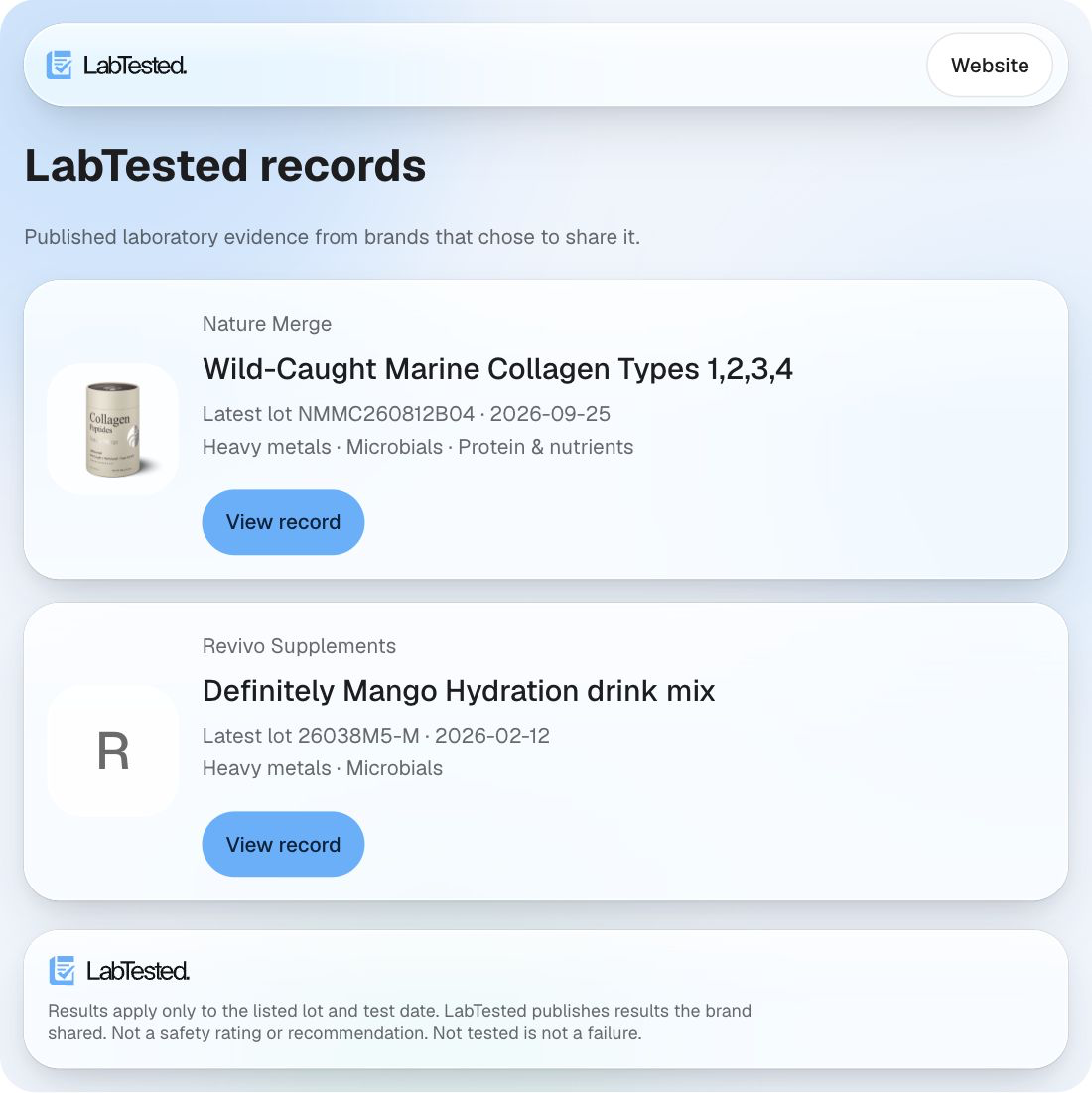
Find the product evidence brands publish, open an exact lot, compare reported analytes, and follow the original source report.
Before you connect
No LabTested account, subscription, API key or sign-in is required for this public connector. Claude’s own availability, plan limits and tool permissions still apply. Interactive cards need a client with MCP Apps support.
Only approved, opted-in public product records are discoverable. The connector cannot open a brand’s private workspace or an original report the brand has not shared.
Connect LabTested
- If LabTested appears in your Claude connector directory, open its listing and connect. You can also add it manually under Customize → Connectors → Add → Custom → Web.
- Enter
https://www.labtested.co/mcpas the remote server URL. For clients asking for transport, choose Streamable HTTP. - Choose No sign in or authentication None, then finish adding the connector.
- In a conversation, select LabTested from the connector picker or choose Use LabTested when Claude offers it. Normal tool approvals remain in place.
Ask for results
- “Show me the full test results for Revivo Mango.”
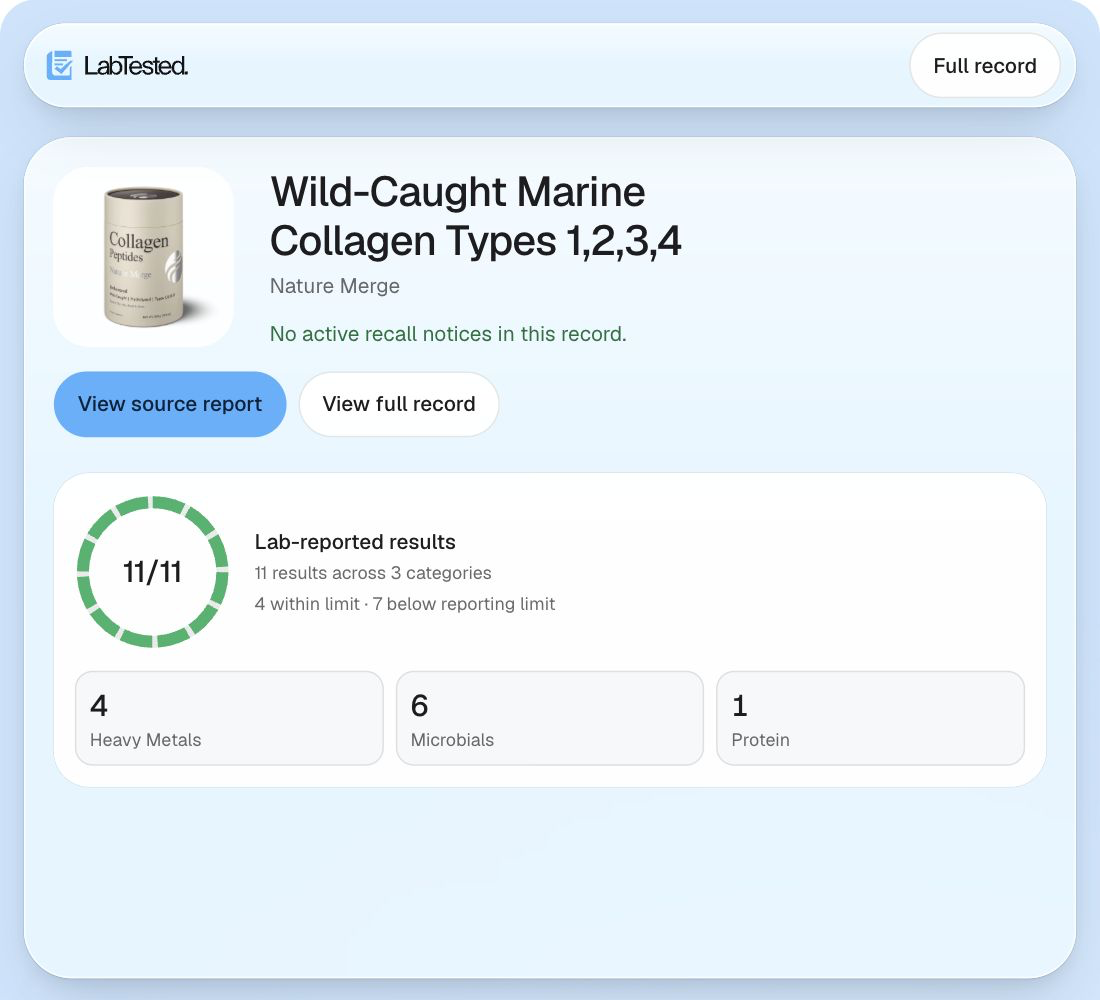
- “Show the latest Nature Merge collagen lab results.”
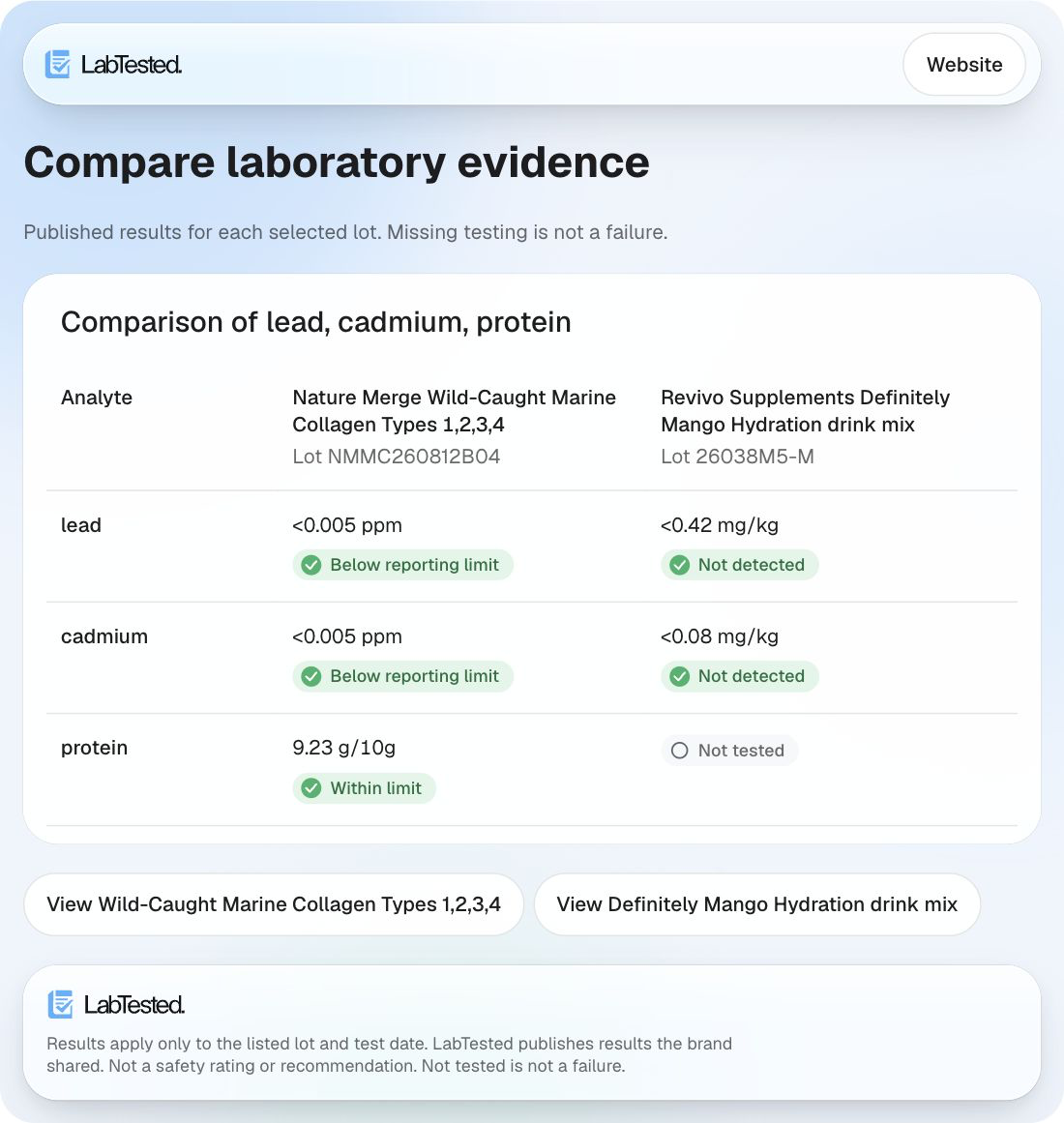
- “Compare lead and cadmium for these products using their latest published lots.”
- “Show me the original certificate for this lot.”
Interactive evidence cards are available for full results, product comparisons and public product matches. Claude chooses a card or text response based on your request and the client’s capabilities. You can ask for a card or a text-only answer. For a particular batch, include its exact lot number; an unknown lot stays unavailable instead of showing another lot.
Cards link to the full public product record and to original certificates when shared. Any applicable recall included in the record appears first.
Example app responses
These interface examples use public production responses captured in October 2026. Screenshots are examples, not live results or product recommendations. The linked public record is the current source.
Read the evidence in context
Reported values apply only to the listed lot, sample, test date and reported analytes. A less-than value is a bound, not an exact amount or zero. Not detected and below the reporting limit do not prove absence. Testing selected analytes does not establish overall product safety. Result responses include status definitions; not detected, below the reporting limit, within or above a printed limit, reported without a limit or a lab verdict, not tested, and record unavailable are different states. Missing testing is not a failed test.
Within or above a limit reflects the laboratory’s stated verdict. Some numerical comparisons remain indeterminate when a reported bound or incompatible unit prevents a reliable comparison. LabTested publishes what a brand shared; it does not independently verify or certify results, rate product safety, or provide medical or purchase recommendations.
Data and permissions
The tools read public product queries, identifiers, lot numbers and result filters. They cannot edit or publish results, buy products, transfer money, or access private reports. The connector does not request your Claude chat history or files. Use product details rather than sensitive personal or medical information in queries.
Retrieval measurement uses aggregate product counts. Hosting and security providers may process connection metadata as described in our privacy policy. This connector is separate from the optional question-answering feature on LabTested product pages.
Troubleshooting and support
If Claude asks which app to use, select Use LabTested. After connector updates, refresh its tools list and start a fresh conversation. If an initial card frame reports a display problem, try its Retry button or reload the conversation. Clients without MCP Apps can still retrieve textual evidence.
No matching product means no matching discoverable record, not proof that it was never tested. An original certificate can be unavailable even when some results are public.
For help, email hello@labtested.co. Include the product, lot, client and error message; do not send passwords or API keys. Learn more about how LabTested publishes evidence.